Studio Time

    • Fractals
    • Portfolio
    • Who am I?
    • Contact

  • Drawing the Dark Queen

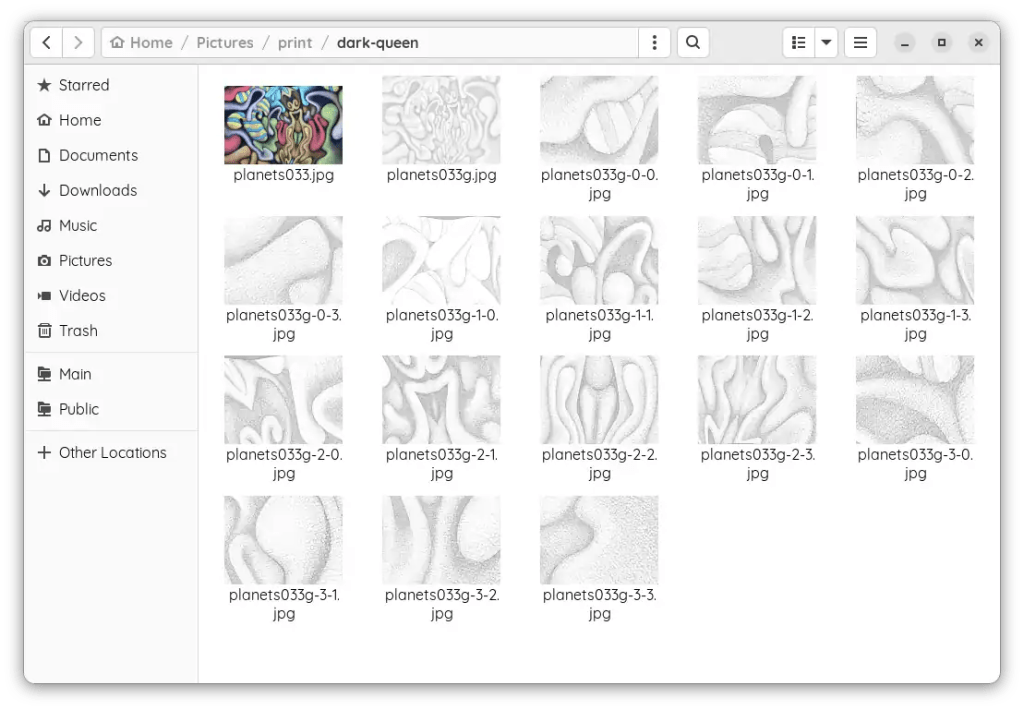
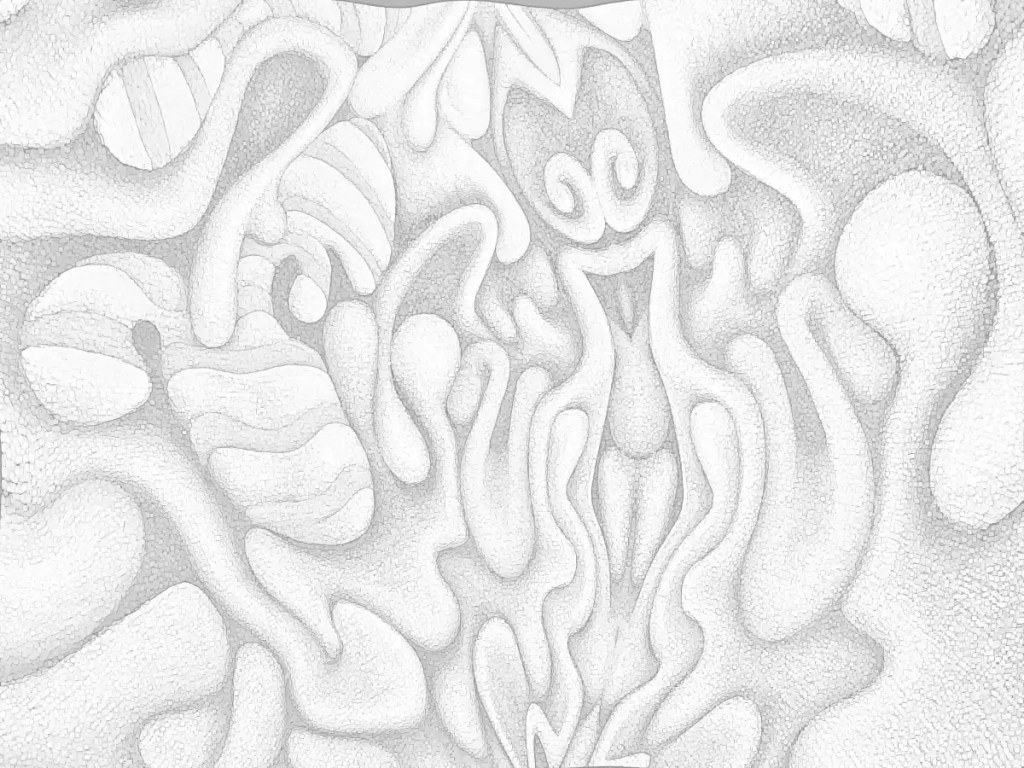
    This is the result of going through that whole rigamarole yesterday. I trimmed all of the prints with a paper cutter… Alternately, you can use an X-acto knife and a straight-edge.

    After taping all of the prints together with transparent tape, I transferred the drawing using graphite paper (Carbon paper made with graphite.) and a ballpoint. (Ballpoints don’t tear the paper as often when you bear down on them and they give you a lot better reference regarding what you have and haven’t traced.) I re-drew it with water-soluble graphite, sealed that with a light coat of (mostly) water mixed with acrylic medium, sanded it and drew a bit more…

    I gave our queen a bit of cleavage (Seemed necessary… she’s “dark”.), a pair of velvet hot pants and striped stockings that reflect a few of the other forms in the painting. I stylized the rest of it and made a few changes here and there, then made an attempt to map out some of the colors with watercolor pencils. It got 2 more coats of acrylic medium. That blended the colors into fairly continuous fields as well as fixing the drawing into the canvas. This dried overnight and got sanded again. (rotary sander… it makes things go much faster. You need to be careful on stretched canvas though.)

    I just realized that her robe/hair is going to have to be dark or she’s going to come off as some sort of bouncy, Pollyanna type. I’ll make some color changes this morning… I’m pretty sure how they need to go.
    July 27, 2023
    Acrylic Painting, Digital Emissions, Oil Painting, The Dark Queen

  • Hail the Dark Queen

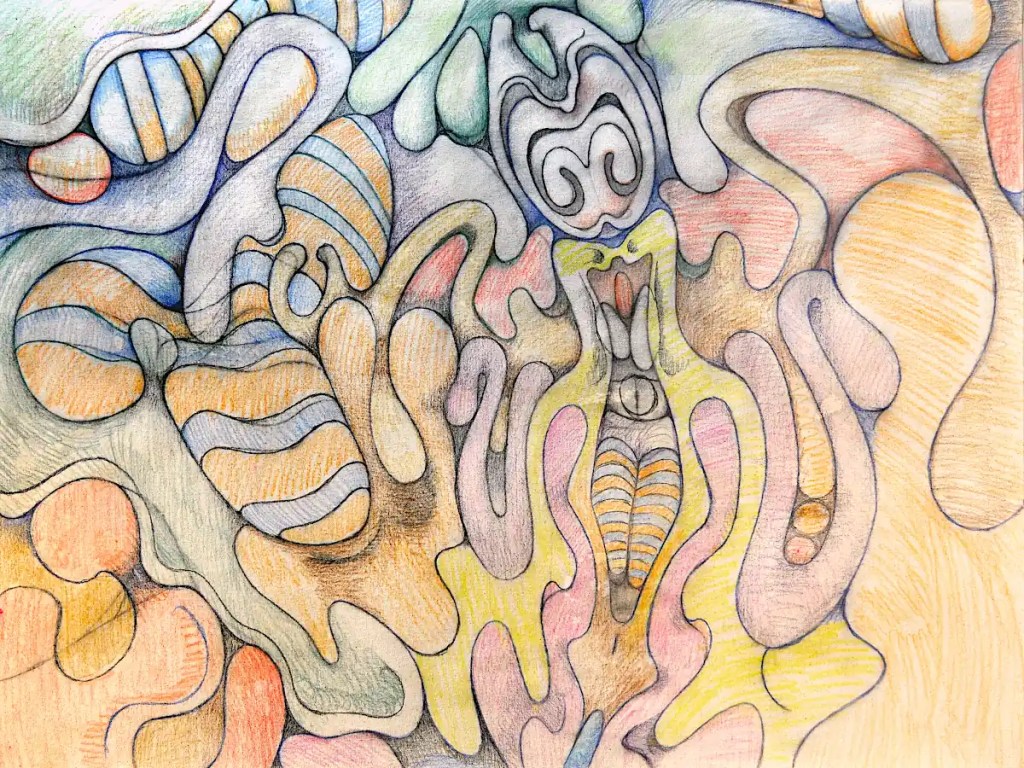
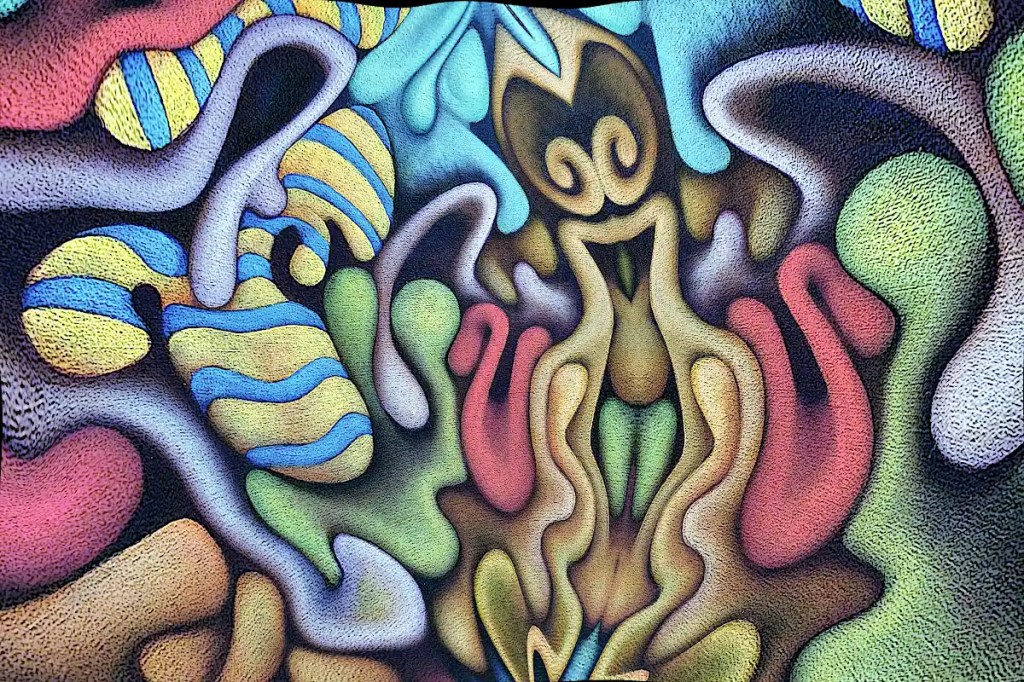
    This began life as a photo of “Nefarious Doings Down on the Farm“. As I’ve said elsewhere, I like subjecting my images to the “Little Planet” filter in gimp. This particular image has been mirrored, “planeted”, warped and variously distorted to a fairly high degree. I have a few hundred of these that I fiddle with once in a while. While I was fiddling with this image, I decided that the figure in the center really resembles an evil queen (Probably the source of all of those nefarious doings.) and deserves to be painted as such. I’ve set about doing just that:

    I’d previously run the cartoon filter on this; which looks really cool but imparts a texture that I really didn’t want in the print that I intended to work from. So… I ran gimp’s dilate filter across it… several times. That removed most of it. I ran the cartoon filter again, because it does a nice job of defining the edges of things, then desaturated the image and raised the output levels so that it’s fairly light. I don’t want to waste a huge amount of ink on this and I want to be able to draw on it when I transfer it to the panel and actually be able to see what I’m drawing.

    I decided that this needs to be 30×40 inches 🙂 seeing that I just happen to have a couple of 30×40 panels cut. I don’t have a 30×40 printer and the idea of driving downtown to get this printed doesn’t really appeal to me. Optionally, I suppose I could connect the computer to the television and use that as a light table (Hold a piece of paper to your monitor… You’ll see what I mean.). That’s sort of a pain though. Using a projector is just as much of a pain and the “grid method” just isn’t happening. I suppose I could simply re-draw it, seeing that I’ll be making changes to it anyway, but I think I’d probably lose some of what makes it appealing to me. I want a hard copy, so the best option I have is to print this out as tiles, tape them all together, transfer that and so on…

    I could use the tiling function in some printing program that does it automatically. That just strikes me as horribly inaccurate though. That leaves me with slicing the thing up and printing pages individually. Many graphic programs offer some sort of “slicing” function. Gimp will let you set guides and slice things that way. So… I scaled this to 30×40 inches at a print resolution of 72. I’m not really looking for high resolution and… ink…

    I set the guides, sliced the images and saved them out individually; 16 10×7.5 images. It’s really not as much work as it might seem. The entire process of making the prints took me about twenty minutes. Gimp is nice enough to number them all so you don’t have to play jigsaw puzzle with them when you put them together.

    July 26, 2023
    Digital Emissions, Oil Painting, Software, The Dark Queen

  • Nefarious Doings Down on the Farm

    This is 20×41… Oil on canvas. It started out as an automatic drawing that ended up as more of a framework for the figures than anything else. Most of them are consciously developed. The focus here is on the figures themselves, color interactions and using the stripes to define the contours.

    I occasionally do fantasy style images that derive from a hypothetical farm. It has a small cast of recurring characters and gives me a sort of base construct to place things in to as well as a place to develop narratives and so on. This draws from that a bit… hence the title. The “Nefarious Doings”? 🙂 They’re in there.

    July 25, 2023
    Acrylic Painting, Automatism, Oil Painting

  • Something I Started Last Friday

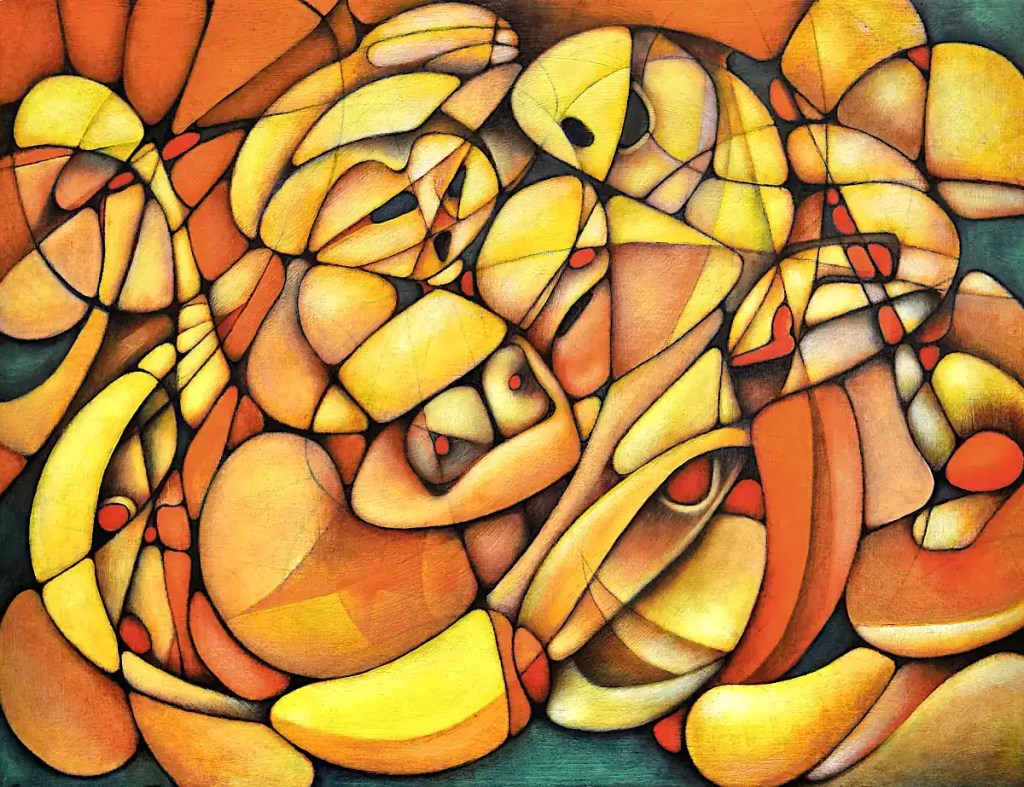
    The title kind of says it all; though that particular Friday was a while ago. This is an automatic drawing that I’ve added a few straight lines to for compositional purposes and pulled a few cartoon-like figures out of.

    My focus at the time was on tempering my tendency to overwork stuff… showing process in the painting and leaving some evidence of how it came about. I think the “rough edges” are as important to the painting as the “polish”. I’ve always had an issue with leaving them.

    This is 18×24 inches… oil on panel.

    July 24, 2023
    Automatism, Oil Painting

  • Big Hair and Blue Shadows

    An homage to the women of the seventies… eighties. 🙂 Maybe the boys of the eighties. I’m not really a fan of hair metal though.

    July 23, 2023
    Automatism, Oil Painting

  • Lunacy

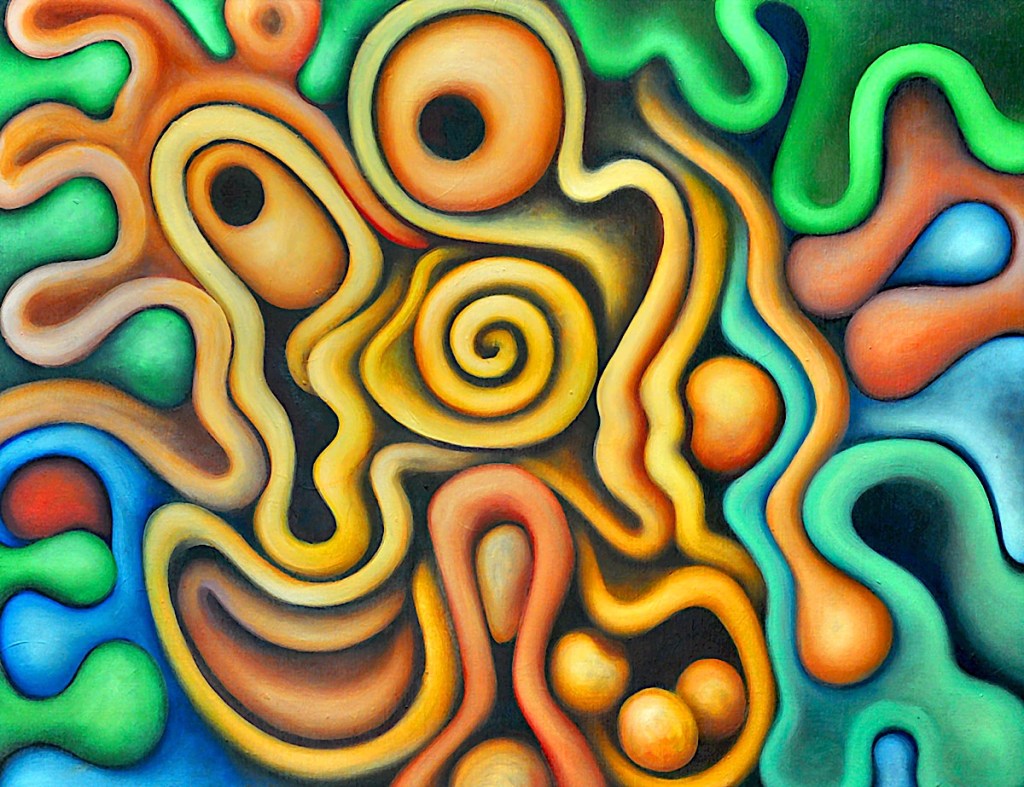
    This is an automatic painting with some loose intent behind it.

    Sometimes it just feels more appropriate to start something with a brush. With a colored ground, you may actually have no choice. (I do tend to do lots of experiments with acrylic paint that at least define a starting point or give things a base color.) Pastels or colored pencils may show up on it and give you a usable drawing but it’s frequently easier to just go straight to paint. It can be a lot more fun as well. I started with circles for eyes, blocked in a loose drawing of a face and let the painting sort of work its way from there.

    🙂 “Lunacy” is a sort of recurring theme with me. I’ve done quite a few variations on the idea. It’s inspired somewhat by the faces from older cartoons.

    This is 18×24 inches… oil over acrylic on panel.

    July 22, 2023
    Acrylic Painting, Automatism, Oil Painting

  • Green Dress

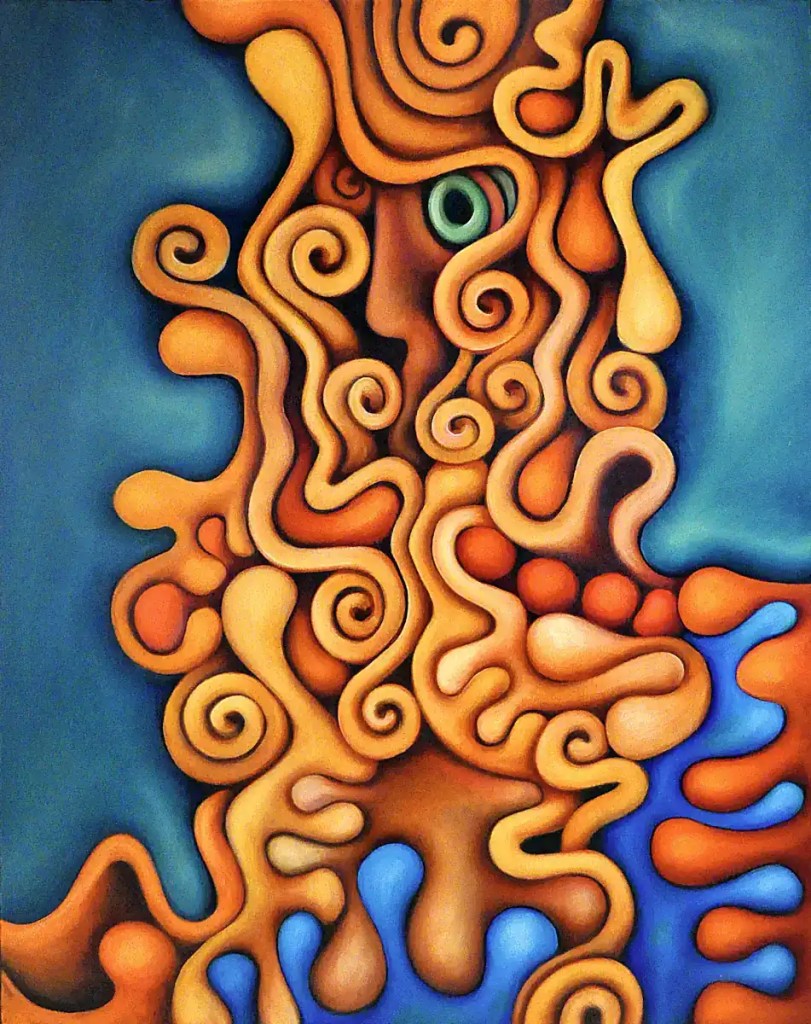
    I did a fashion shoot for a friend of mine… um… many years back. Mostly goth/industrial clothing… lots of PVC, latex, metal things and so on. This painting is based on one of the photos from that shoot. I like to clothe figures in stripes; either as contours or, like I’ve done here, as a sort of construction or lattice to twine the hair through.

    This is 18×24… oil on panel.

    July 21, 2023
    Automatism, Oil Painting, Portrait

  • Fractals

    I started a new fractal gallery today.

    July 20, 2023
    Digital Emissions, Fractal

  • Mandelbulber 2

    If you’re one of those folk that might be willing or even eager to visit the deepest, darkest depths of graphical insanity… Mandelbulber is for you! On a psychedelic scale from marijuana to L.S.D. (pot being a one and acid being a ten)… this rates somewhere around mescaline.

    The program does 3d fractals, and is addictive as hell. It requires a fairly hardcore machine to get any real use out of. A good gaming machine should do you, though… whilst you’re in the throes of your addiction, you might opt to set up network rendering. Mandelbulber will allow you to use a system called “Netrender” to take full advantage of your local LAN or maybe that blade server that you’ve got set up in the basement, but just really haven’t figured out what you’re going to use it for, to create images.

    This is not a simple program and it does have an incredibly high learning curve. Thankfully, the developers have done a great job of making the thing as user friendly as possible. Mandelbulber comes with many different fractal types and will let you combine them as hybrid fractals to develop even more. It provides a materials editor similar to those in 3d programs. You can build really complex surfaces with options like specularity, luminosity, transparency, reflection and so on and so on. The program will build fractal animations and will even allow you to animate parameters using an audio file. You can export 3d meshes and voxels to use in 3d programs and printers.

    On linux, you can probably install this from your local repository. There is an AppImage available as well. The program’s also available for Windows and OSX. You can download it here. It’s open source; if you feel like contributing to the actual program, you can.

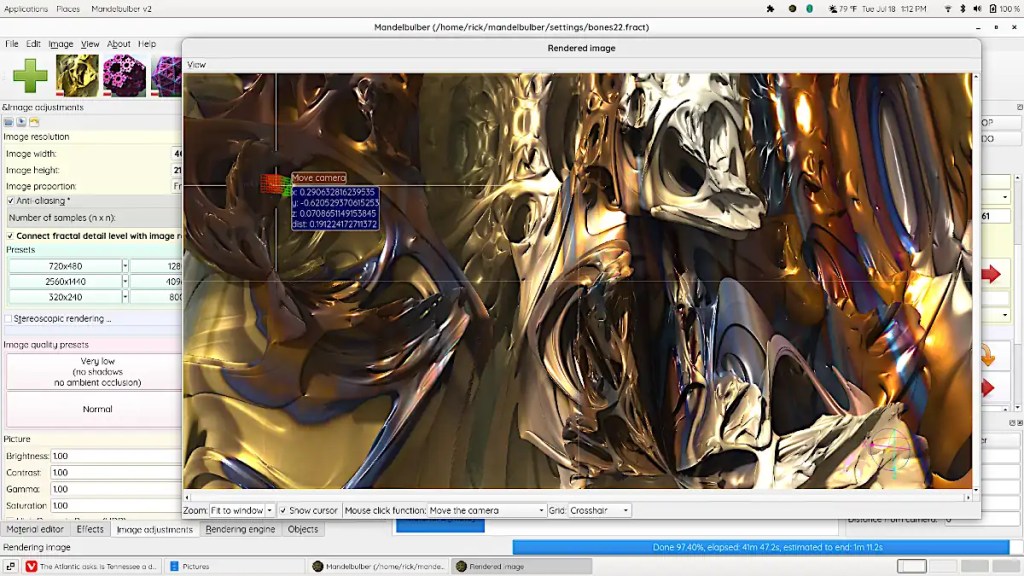
    The image here is fairly simple. It’s a fairly short dive into one of the default types. I’ve used a photo of one of my paintings as a texture and fiddled with the specularity, luminosity and so on.

    July 19, 2023
    Digital Emissions, Fractal, Software

  • Jack in the Box

    I’m not really sure where this photo came from. I found it while digging through some gallery directories. I may have shot it with my tablet or something. I must have stripped the EXIF camera data.

    This painting is oil on canvas and was originally much larger… 4×6 feet or so, and more complex, and… just didn’t work. It sat rolled against the wall for some time before I decided to cut it up. I cut the original in half, reworked it and mounted each side on wood (plywood or hardwood, one. I sold this a long time ago. I really don’t remember which.) The other painting’s about half this size. I did manage to cut out the elements that weren’t working for me and come up with two paintings that I liked.

    That is one of the advantages of working with panels. This was on a stretcher. When you stretch stuff you lose several inches on the sides when you wrap the canvas around the stretcher bars. Re-stretching it would kill a lot of what I was trying to save. If you adhere things to a panel, you can cut your canvas pretty precisely.

    It’s basically a sort of fantasy thing that’s generated from an automatic drawing. In the first version of this; the “Jack in the box” (That face you may or may not see in the upper left hand corner. 🙂 ) was much more clearly attached to the forms on the right side and may have looked a bit more like an actual Jack in the box. I think it works better this way.

    July 18, 2023
    Acrylic Painting, Automatism, Oil Painting

Previous Page Next Page

Copyright © 2023-25. Richard Taylor. All rights reserved.

Website Built with WordPress.com.

  • Subscribe Subscribed
    • Studio Time
    • Already have a WordPress.com account? Log in now.
    • Studio Time
    • Subscribe Subscribed
    • Sign up
    • Log in
    • Report this content
    • View site in Reader
    • Manage subscriptions
    • Collapse this bar